
This guide will help users select and build a custom report template that can be shared across all their Sidos users. It walks through configuring page layout, headers and footers, and choosing which widgets to include so that reports highlight the most relevant survey and network metrics for each project. Users will learn how to organize content, apply consistent styling, and save templates for reuse, ensuring that every stakeholder receives clear, standardized reports that align with their organization’s Wi‑Fi design, validation, and troubleshooting workflows.
Select Custom Reports
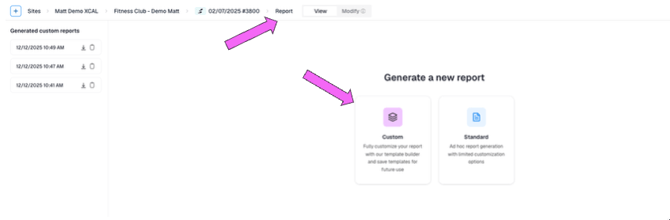
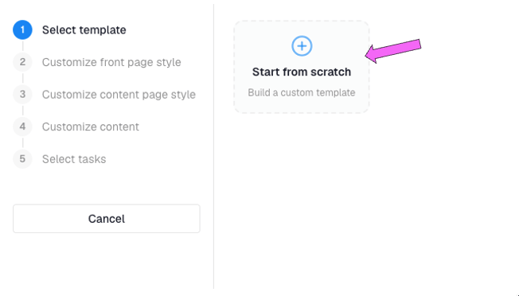
Select a Template
Choose an existing report template or make a new one.
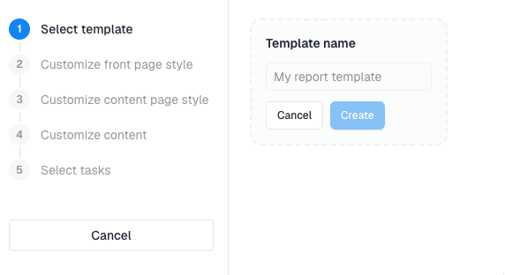
Choose a name for your new template.
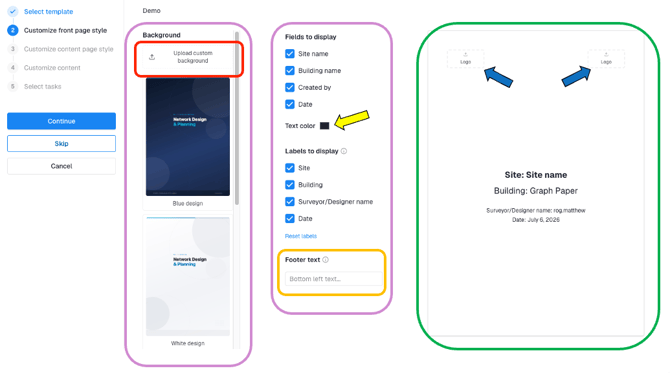
Select a Report Style and Add Logos
In this section, the user configures the background and theme of the report. The user selects from several built‑in Sidos backgrounds or uploads a custom background (red box). The user then chooses which elements appear on the report cover page, adds custom text (orange box), and adjusts the cover page text color (yellow arrow). All changes are reflected in the live preview (green box), where the user can also upload a company or customer logo (blue arrows).
Add Headers and Footers
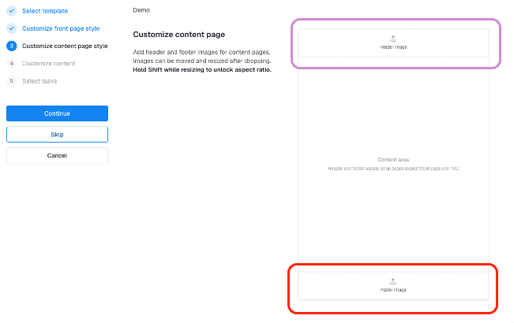
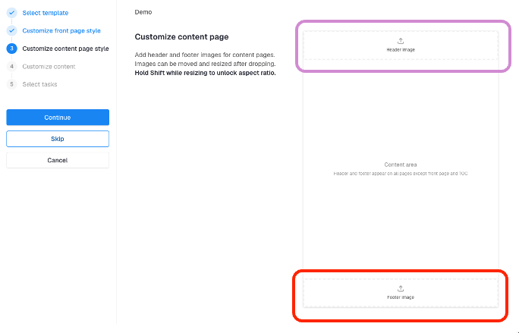
Users can configure headers (magenta) and footers (red) that will be displayed consistently on every page of the finalized report.
Customize Content and Widgets
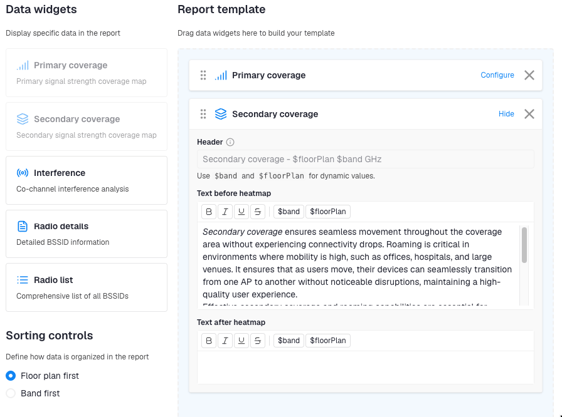
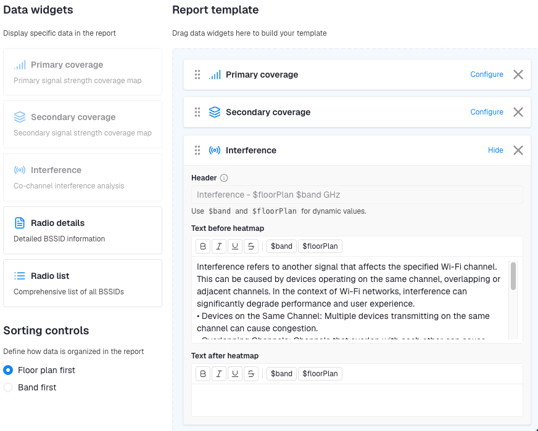
In this section, users add content widgets such as Primary, Secondary, Interference, Radio Detail, and Radio List. Widgets are arranged by simple drag and drop, allowing users to reorder the sections into the desired sequence for the final report.
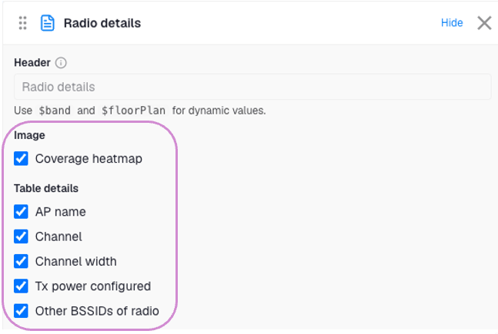
The Radio Details widget focuses on a single BSSID and can be used to create individual AP or radio heatmaps.
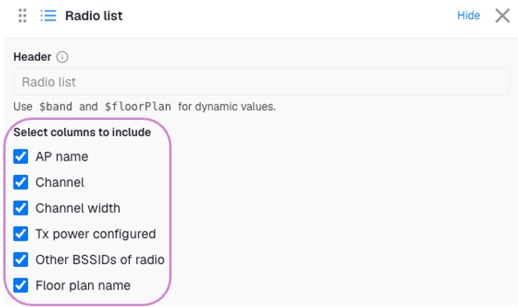
The Radio List widget lets users group multiple radios into a list with different parameters. Individual heatmaps are not available for this widget.
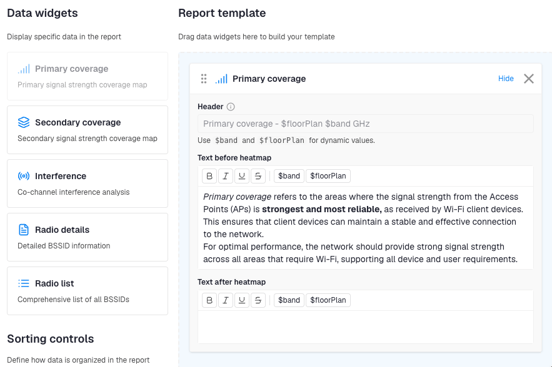
For each widget, users can define text that appears before the widget (magenta) and after the widget (red).
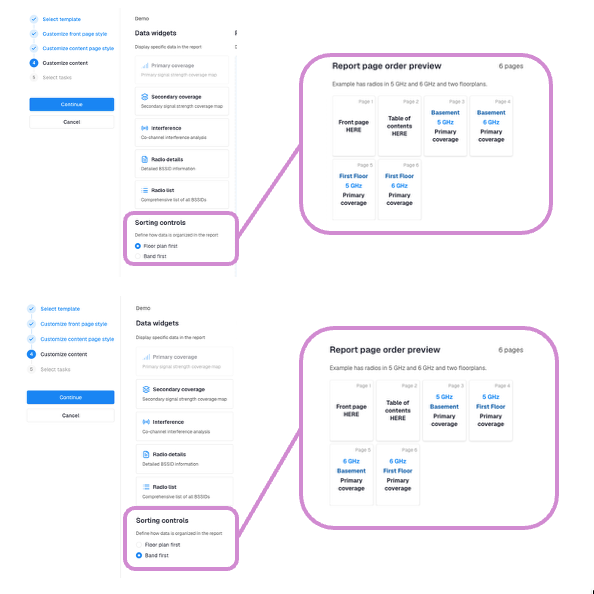
There is an option at the bottom of this widget that allows the user to sort the output by floor or by band. See examples below.
Widgets
Primary
The Primary Coverage widget summarizes primary coverage across all floors and all Wi‑Fi bands (2.4 GHz, 5 GHz, and 6 GHz).
Secondary
The Secondary Coverage widget summarizes primary coverage across all floors and all Wi‑Fi bands (2.4 GHz, 5 GHz, and 6 GHz).
Interference
The Interference widget summarizes primary coverage across all floors and all Wi‑Fi bands (2.4 GHz, 5 GHz, and 6 GHz).
Radio Details
This widget allows users to fully customize the information displayed for each radio (BSSID), including (but not limited to) AP name, channel, and channel width.
Radio List
This widget allows users to fully customize and aggregate the information displayed for each radio, including (but not limited to) AP name, channel, and channel width.
Ready to run your report? Review this guide.
If you cannot find a component or layout you need, contact our sales team to discuss whether a Sidos developer‑built template is the right option for your reporting requirements.