
Select the channels you wish to capture on. These are sorted by band.
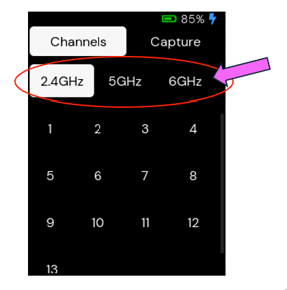
Note: If you have bonded channels, choose the primary channel, and the Packet Capture Micro App will auto adjust to capture on the bonded channels.
Starting with version 3.5.1, if you select more than three channels, the Wave prompts you to choose a dwell time for each channel. To select an entire band, press and hold the band selector.
These can all be single-band or multi-band, and can be from any combination of 2.4 GHz, 5 GHz, or 6 GHz. The Packet Capture Micro App will listen on all selected channels concurrently for the duration of the capture, so choose the channels that best represent the SSID or area you are troubleshooting.
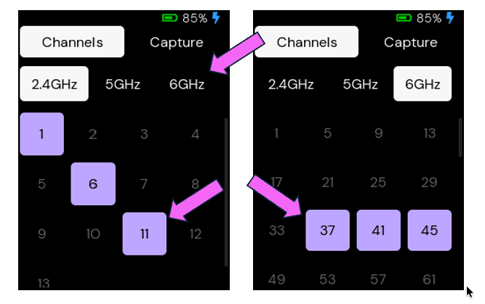
Capturing Data
To capture the data, select the Capture tab, then click the Play button.
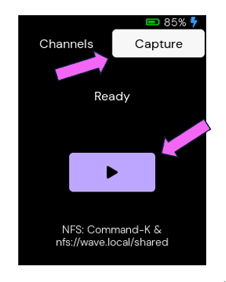
The recording will continue until you choose to stop the recording. 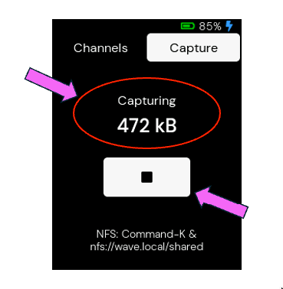
Tip: While the Wave is recording, you can return to the channel tab and change the selected channels.
Accessing the Capture
You can access your captures in two ways. Once the Cloud Sync Micro App is available (coming soon), you’ll be able to upload files to your Sidos cloud account. This requires a wired Ethernet connection and Wave code 3.5.1 or newer. Alternatively, connect your Wave to a Mac or Linux computer with a USB-C cable. On a Mac, press Command+K in Finder and enter this path: nfs://wave.local/shared
See this article if you need more help connecting your Wave.