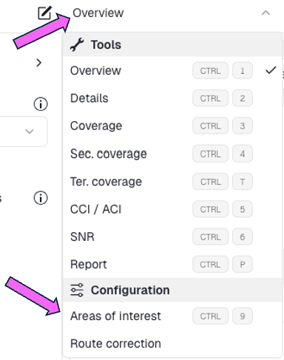
Areas of interest is the tool that lets you define and highlight the specific zones on your floor plan where you want to evaluate and optimize AP coverage. By marking these areas, you tell the system exactly where Wi‑Fi performance matters most—such as offices, classrooms, or seating areas.
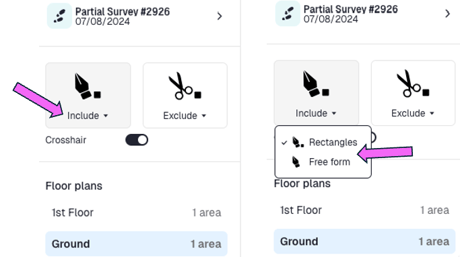
You have two ways to define coverage areas: draw simple rectangular zones for quick, structured regions, or use free‑form shapes when you need to follow irregular boundaries on the floor plan.
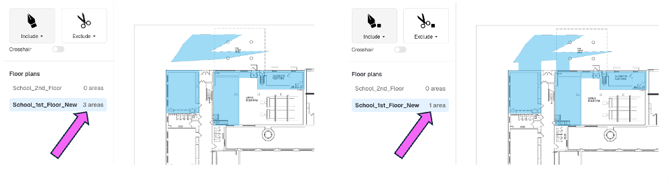
You can draw multiple areas on the floor plan to define where coverage matters. Each area can be a simple rectangle, a free‑form shape that follows irregular boundaries, or any combination of the two. When two or more shapes touch or overlap, the system automatically merges them into a single continuous area of interest, so you can build complex zones.
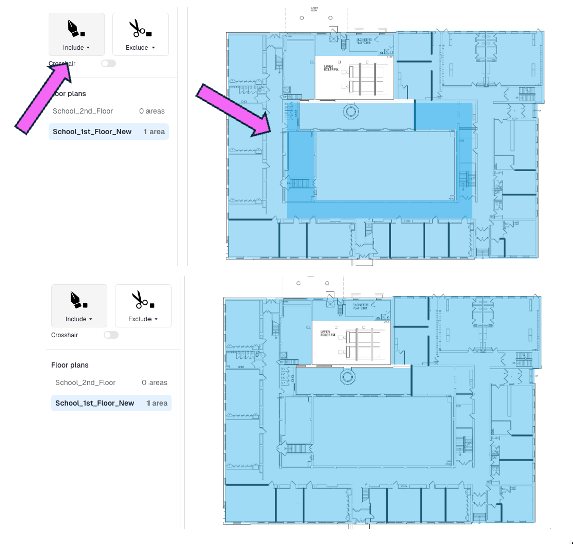
You can also cut holes in the floor plan to represent open atriums, balconies, stairwells, or any other vertical openings that span multiple levels, so the model more accurately reflects how RF propagates between floors.
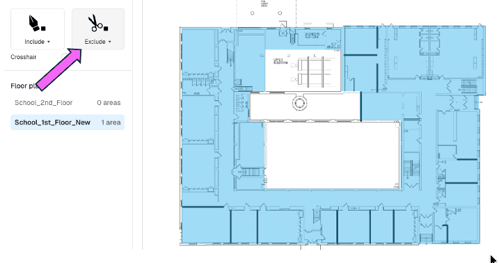
To correct holes that were cut by mistake or no longer reflect the real space, draw a new shape over the hole so it fully covers the gap, then merge that shape back into the main area of interest to restore a continuous coverage zone.